

Ad ops & media
All your ad platforms, one answer.
- Revenue, fill rate and eCPM across platforms
- Alerts on fill rate and impressions
- A daily revenue summary, automated
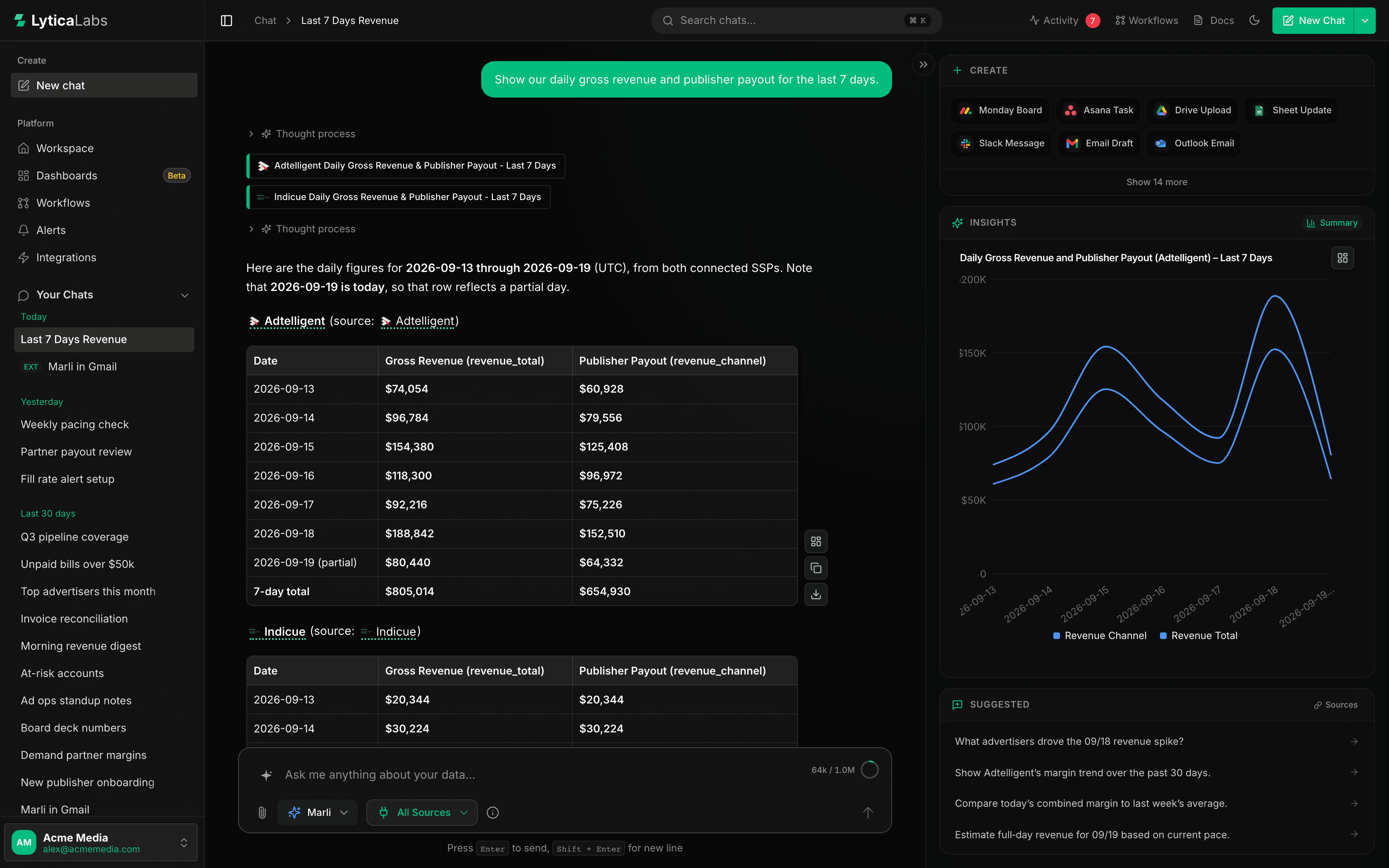
Ask Marli“Which partners drove yesterday’s revenue drop?”
Connect every system you run. Ask anything, watch what matters, and automate the rest, all from one place.
Works with 40+ tools you already use.
View all integrations Salesforce
 HubSpot
 Pipedrive
 Apollo
 Boostr
 Wealthbox
 Snowflake
 Databricks
 BigQuery
 Airtable
 QuickBooks
 Bill.com
 Tipalti
 Indicue
 Adtelligent
 Publica
 Added.tv
 Limelight
 Vistar
 BurtHub
 Gmail
Gmail Google Calendar
 Google Drive
 Google Sheets
 Microsoft Outlook
 Outlook Calendar
 OneDrive
 SharePoint
 Microsoft Teams
 Slack
Slack Monday
 Asana
Asana Notion
 Linear
 Atlassian
 GitHub
 Zoom
Zoom Calendly
 Granola
 Fireflies
Generic AI still leaves your team copying data in and answers back out.
BI seats don’t clear the backlog. Routine questions wait on specialists.
One for dashboards, one for alerts, one for automation — none of them talk.
Marli answers, monitors and automates across every tool you connect.
Plain-English questions, answered from your live systems. No SQL, no ticket.
Turn any question into an alert — in Slack, email or the app.
Describe the recurring work. Marli builds the workflow, with approval before anything sends.
How it works
One loop instead of a stack of tools.
Sign in to the tools you already use. 40+ live integrations, no pipelines.
Plain-English questions. Answers as tables, charts and dashboards.
Set the line. Marli checks on a schedule and alerts you when it’s crossed.
AI Workflows run on a schedule or a trigger, with approval where it matters.
Keep the numbers in view on AI Dashboards. Describe a board and Marli builds it.
The platform
Marli works with each person’s own permissions and connections.
An agent, not a chatbot
Breaks a request into steps and picks the right tools and sources.
Creates, updates and sends across 30+ of your tools.
Alerts and workflows run on schedule — no prompt needed.
Asks when unsure, and before it sends a message or deletes.
Generative analytics
Ask in plain English. Marli reads across every connected system and replies with tables, KPIs and insights.
AI Dashboards
Generate a full board or a single widget from a sentence, then arrange and share it.
Revenue
$128.4K
↑ 12.4%vs prior period
Active Vendors
58
↑ 1.8%vs prior period
Gross Margin
41.2%
↑ 2.1%vs prior period
Orders
1,284
↓ 3.2%vs prior period
Revenue Over Time
RevenueBudget by Department
MarketingOperationsSalesRevenue by Channel
SAMPLE DATACross-platform alerts
Tell Marli what to monitor and where the line is. She checks on a schedule, across every connected tool.
Alerts arrive in
Slack
Example alerts
Delivered straight to Slack

AI Workflows
Describe the outcome and Marli builds the steps. Run it on a schedule, on demand, or when an email arrives.
Ask Marli
Stage → Onboarding
When a field value changes
Pull partner info
Find matching records
Sync partner to Salesforce
Create or update a record
Send onboarding email
Pauses for approval
Alert #partnerships
Send a channel message
Marli everywhere
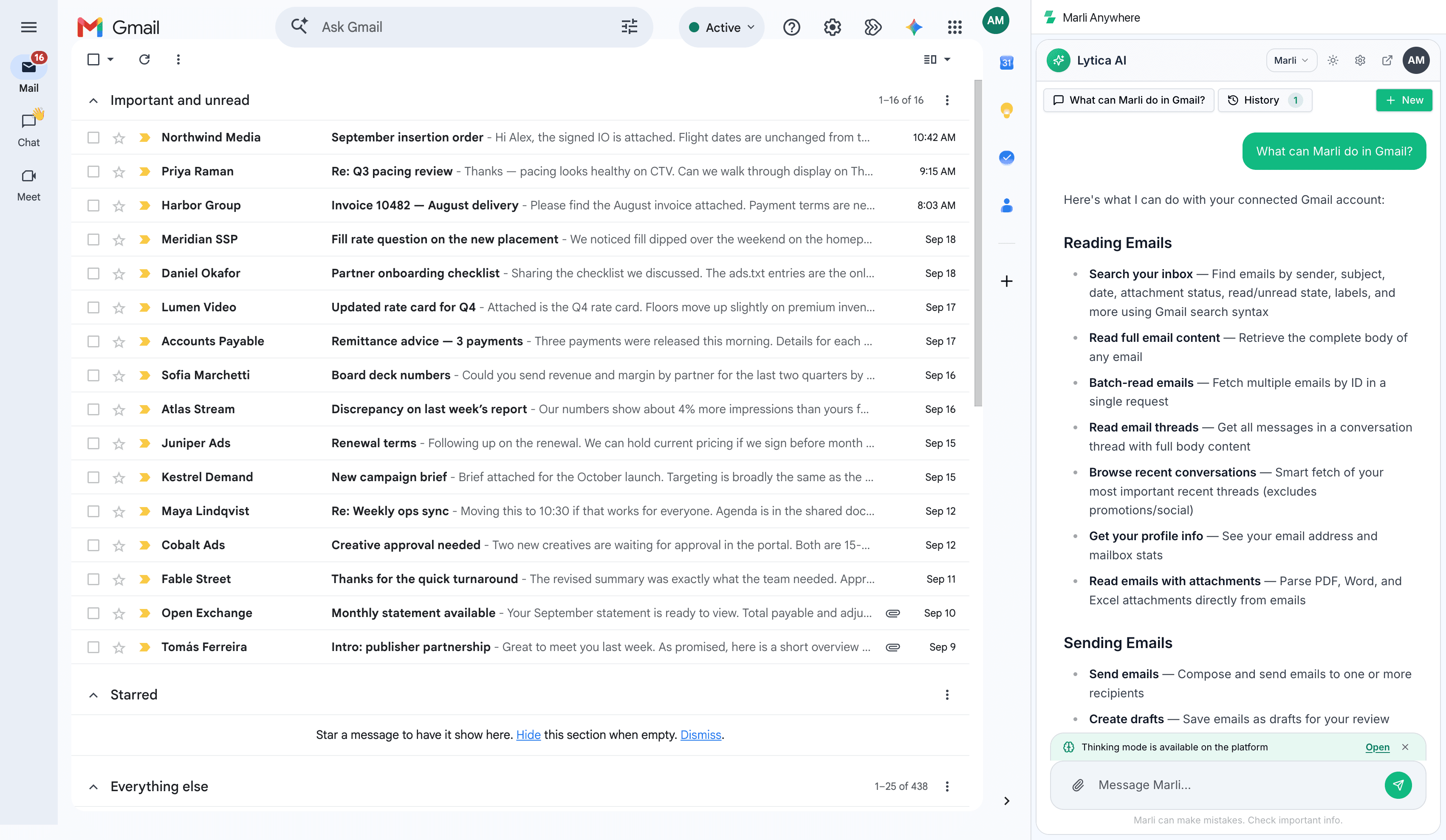
In your browser, in your inbox, and inside the AI tools your team already uses.
See it on your own data.
Built for your team
One platform, pointed at the tools each team already uses.
Ask Marli“Which partners drove yesterday’s revenue drop?”
Ask Marli“Which deals have stalled for over two weeks?”
Ask Marli“What’s unpaid and due this week?”
Ask Marli“What’s blocking the release right now?”
Trust & control
Marli sees only what you connect. Nothing sensitive changes without approval. SOC 2 Type II in progress.
Scoped to your organization. Never shared.
Your identity provider. Roles control access.
Reads never change your systems.
Before it sends a message or deletes. Automations send only what you set up.
Pricing
Priced on what Marli does, not headcount — so the whole team can use it.
See pricingEveryone included
No per-seat fees. Bring the whole team.
Pay for usage
Plans scale with what Marli actually does.
Free for 14 days
Nothing charged during the trial.
Free for 14 days. Nothing charged during the trial.